
Database Assistant
This tool contains multiple features that help you analyze and refactor your existing database, migrate legacy databases and improve your current database. Once the analysis is complete, it can generate SQL Scripts that will fix the issues, if those issues are easily fixable. If it's not fixable, then it will let you know and you can decide how to fix those issues.
In addition to analyzing your database, the Database Assistant helps with combining two table schemas. This is useful when you are wanting to merge two tables together, or make a new table that is a composite of two other tables.
The complimentary tool is the Table Data Combiner tool that helps generate a script that will combine the data from two tables into another table.
Finally, the Table Schema Duplicator tool allows you to duplicate existing table schemas into a new table schemas in batches. Normally you would right click on a table, tell it to generate a create script, then you would then modify the script with the new table name, new identity column name, etc... This tool allows you to just select all the tables you want to create duplicates of, change the table names and column names and then it generates a script for you.
REQUIREMENTS: Windows 10 or later, Microsoft SQL Server 2008 or later
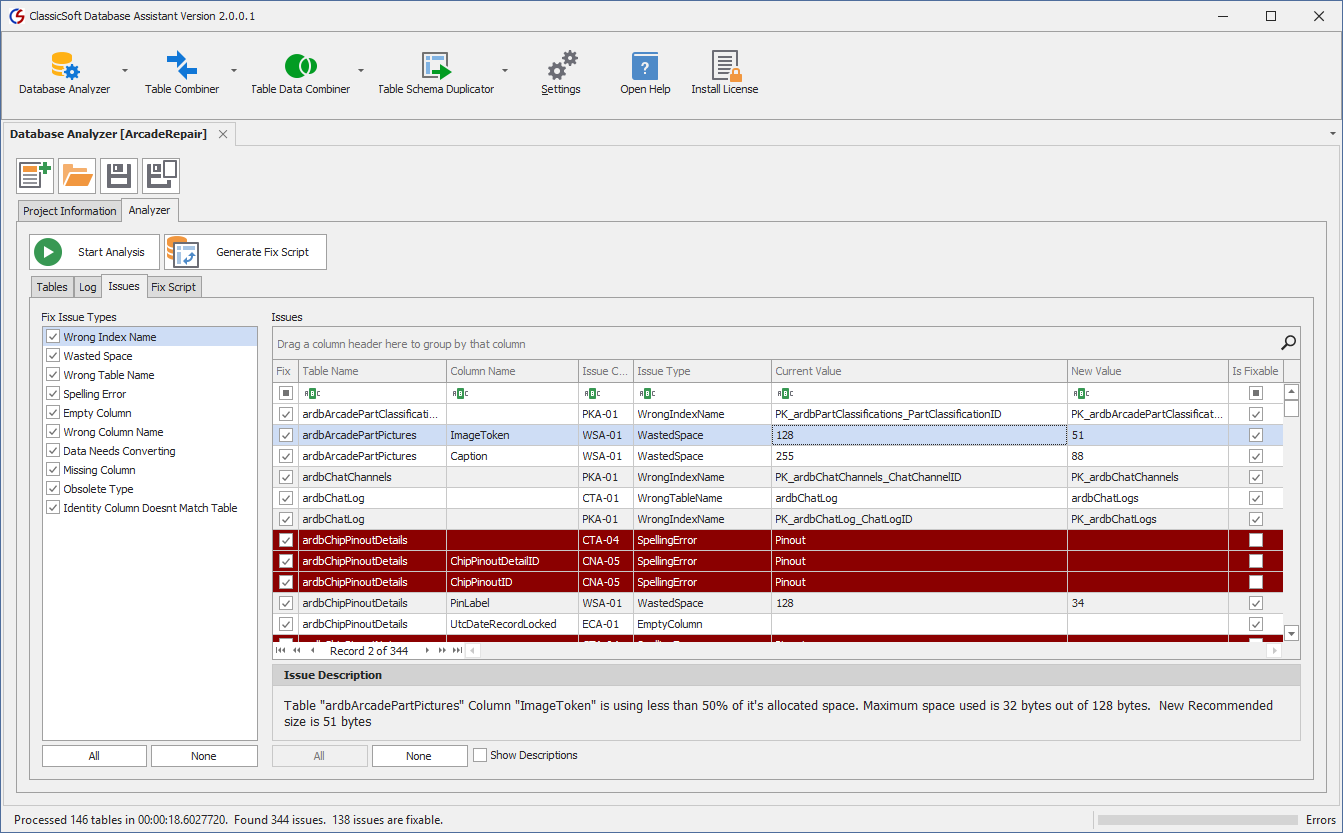
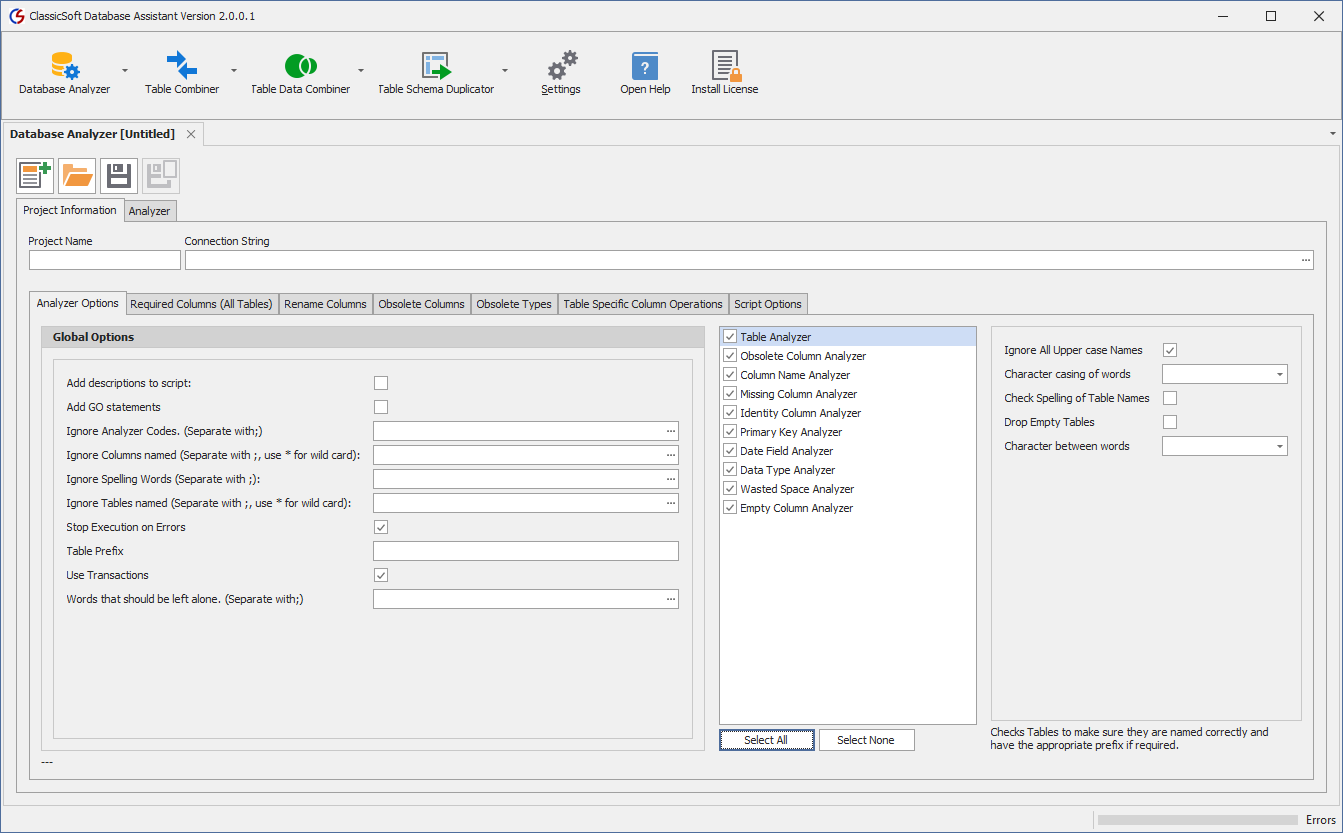
Checks your database for inconsistencies
This feature checks for things such as tables with missing or incorrect pre-fixes, spelling errors in table and column names. This will check the casing of your table names and whether they should be PascalCase, Lower Case, or Upper case. You can select whether or not the words should have an underscore in the name or not. This is very useful when converting a Legacy database to more modern standards.
Checks for obsolete types
You decide which types are obsolete and what types should be used in their place. For example, changing fields that of type TEXT to ones that are VARCHAR(MAX).
Checks for missing Primary Keys
This will report on any tables that are missing a primary key, or a table that uses multiple columns as a primary key.
Allows you to add missing columns to your tables
You can add columns that are missing from all tables, or specific tables. Examples of this might be tables that are missing a Timestamp field, or a CreatedBy column. You control which fields should be added, when they should be added and how they are defined.
Check Date Fields for consistency
This can analyze your tables to see if you are using UTC date times or localized date times. This assumes field names that are prefixed with Utc are UTC date times, if they are not prefixed with Utc then it assumes they are local times. This will rename the fields to have Utc as the pre-fix to the column name. You can optionally have it generate a script that will help convert the existing data to UTC.
Check for Unicode Data Types
This feature checks all the text fields to see if they are Unicode or not. This will allow you to convert your fields to Unicode, or convert them to non-Unicode values.
Checks for Wasted Space
The feature checks text columns to see if they are wasting space or not. You can specify how much space is considered "Waste", and you can adjust the size down to use less space. This is useful for columns that are char, varchar, nchar, and nvarchar. Text, varchar(max), and nvarchar(max) columns are ignored.
Checks for missing Identity Columns
This will report on any tables that are missing an identity column.
Remove obsolete columns
Remove legacy columns that are no longer used or were temporary while doing migrations or conversions of data.
Downloads
DatabaseAssitantSetup_2_1_0_4.exe
Version 2.1.0.4
113.45 MB
REQUIREMENTS: Windows 10 or later, Microsoft SQL Server 2008 or later